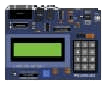
Get PICSimLab Official Release
Download the most powerful open-source emulator for PIC, Arduino, ESP32, and STM32. Secure, free, and verified binaries.
1 Standard Stable Releases
2 Experimental Builds (v0.9.3)
For developers testing new ESP32-C3 and STM32 features.
System Requirements
- 💻 OS: Windows 10/11 or Linux (64-bit recommended)
- 🧠 CPU: Intel i3 / AMD Ryzen 3 or higher
- 💾 RAM: 4GB Minimum (8GB for ESP32/QEMU)
- 🎨 Graphics: OpenGL 2.1 compatible
* Note: ESP32 simulation requires a processor with virtualization support enabled in BIOS for optimal QEMU performance.
Installation & Getting Started
Follow these simple steps to set up your virtual lab environment.
Windows Setup
- Run the .exe installer as Administrator.
- Follow the wizard to install PICSimLab and the required VC++ Redistributables.
- (Optional) Install com0com or comPim to enable Virtual Serial Port communication with MPLABX or Arduino IDE.
Linux Setup
flatpak install picsimlab.flatpak
- Ensure libqt5 and libgl1 dependencies are met for .deb packages.
- Add your user to the
dialoutgroup to access virtual serial ports.
First Simulation
- Launch PICSimLab and select a Board (e.g., Arduino Uno).
- Go to
File -> Load Hexand select your compiled firmware. - Open Spare Parts to add LEDs, LCDs, or Keypads to your design.
Verify Your Downloads
To ensure the file you downloaded hasn’t been tampered with or corrupted during transmission, we provide SHA-256 checksums for all official releases.
How to verify on Windows:
CertUtil -hashfile PATH_TO_FILE SHA256
Common Questions
Everything you need to know before and after downloading.
Q: Is PICSimLab completely free for commercial use?
Yes, PICSimLab is licensed under GPL v2.0. You can use it for personal, educational, and commercial purposes without any licensing fees. As an open-source project, the source code is also available on GitHub.
Q: Can I simulate ESP32 WiFi and Bluetooth features?
PICSimLab uses QEMU to emulate the ESP32. While core logic and many peripherals work perfectly, complex WiFi/BT stack simulation depends on the specific QEMU build integrated. Basic socket communication is generally supported.
Q: How do I connect PICSimLab to MPLAB X IDE?
After downloading, you can connect them via a Virtual Serial Port. On Windows, we recommend using com0com. Once the virtual link is created, configure PICSimLab to listen on one port and MPLAB X to send data to the other.
Q: Does it support STM32 and Arduino boards?
Absolutely. PICSimLab supports several Arduino (Uno, Mega), STM32 (BluePill), and even AVR based boards. You can find the full list of supported hardware in the ‘Boards’ menu after installation.
A Basic Tutorial on Picsimlab Simulator
Trusted by Developers Worldwide
PICSimLab is a cornerstone in the embedded systems community. From university classrooms to professional R&D labs, our emulator helps thousands of engineers shorten their development cycles.
Ready to start your simulation?
Join 500,000+ developers and start testing your PIC, Arduino, and ESP32 code in a risk-free virtual environment today.
Have questions before downloading? Check the FAQ or Report an Issue.