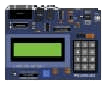
PICSimLab: The Ultimate Real-Time Emulator for PIC, Arduino, ESP32 & STM32
Empower your embedded development with the most versatile open-source hardware simulator. Test your firmware in a professional virtual lab environment without the need for physical boards.
Powerful Emulation Capabilities
PICSimLab is not just a simple simulator; it is a comprehensive virtual laboratory designed for embedded systems engineering and education.
Real-Time Simulation
Experience high-fidelity execution of your firmware. PICSimLab integrates professional backends like simavr, uCsim, and QEMU to ensure your code runs as it would on real silicon.
Virtual Spare Parts
Connect your virtual boards to a vast library of components, including LCDs (HD44780, ILI9341), Keypads, Stepper Motors, SD Cards, and even Ethernet Shields (W5500).
IDE Integration
Seamlessly integrates with your existing workflow. Support for MPLAB X, Arduino IDE, and VS Code (PlatformIO) via GDB debugger and virtual serial ports.
IoT & Connectivity
Advanced support for ESP32 and ESP32-C3 simulation, allowing you to test WiFi and network protocols in a safe, controlled virtual environment.
Signal Analysis
Built-in Virtual Oscilloscope and support for external tools like PulseView/sigrok and GTKWave for deep logic analysis.
Remote Control
Automate your tests using the Remote Control interface. Interact with the simulator via serial commands for automated CI/CD pipelines.
Supported Boards & Architectures
PICSimLab integrates multiple simulation backends to support a wide range of development boards.
Note: PICSimLab uses specialized forks of simavr, picsim, uCsim, and QEMU to provide the most accurate hardware behavior.
How It Works in Your Workflow
Bridge the gap between your code and virtual hardware in three simple steps.
Write & Compile
Use your favorite IDE (VS Code, Arduino, or MPLAB X) to write your C/C++ or Assembly code and generate the .hex or .bin file.
Load Firmware
Open PICSimLab, select your target board (e.g., ESP32 DevKit), and load your compiled firmware file into the virtual microcontroller.
Real-Time Debug
Interact with virtual LEDs, LCDs, and sensors. Use the built-in Oscilloscope or connect GDB for line-by-line debugging.
Compatible Ecosystem
PICSimLab vs. Alternatives
Why professional developers choose PICSimLab for advanced hardware emulation.
| Feature | PICSimLab | Proteus (Paid) | Wokwi (Web) |
|---|---|---|---|
| Cost | Free (GPL v2) | Expensive License | Free / Premium |
| ESP32/STM32 Support | High (QEMU Integration) | Limited/Complex | Good (Browser-based) |
| Offline Use | Full Support | Full Support | Requires Internet |
| GDB Debugging | Professional Grade | Excellent | Basic |
| Peripheral Variety | Ethernet/Motors/Sensors | Massive Library | Moderate |
* PICSimLab stands out as the most powerful open-source hardware emulator for users who need deep integration with local IDEs and advanced network simulation (like W5500 Ethernet stack) without the recurring cost of commercial software.
Frequently Asked Questions
Quick answers to common questions about PICSimLab installation and capabilities.
Is PICSimLab really free for commercial use?
Yes. PICSimLab is licensed under the GPL v2, which means it is free to use for education, personal projects, and professional development. You can download and use all its features without any subscription fees.
Does it support macOS natively?
Currently, PICSimLab does not have a native macOS build. However, Mac users can successfully run the Windows version using Wine or CrossOver. Alternatively, you can use the Online Web version of PICSimLab for basic simulations.
Can I simulate WiFi and Bluetooth with ESP32?
PICSimLab uses a specialized QEMU backend for ESP32, which supports basic network stack simulation. While not 100% equivalent to hardware, it is powerful enough for testing IoT logic and network protocols.
What is the difference between Stable and Unstable versions?
The Stable version (v0.9.2) is thoroughly tested for educational use. The Unstable Latest Build (v0.9.3) includes the newest features, such as improved GDB support and new spare parts, but may contain minor bugs.
Can I add my own custom components?
Yes, as an open-source project, you can develop your own spare parts. PICSimLab provides a development API and documentation for contributors to extend the library of virtual sensors and actuators.
Target Scenarios & Use Cases
Discover how PICSimLab empowers different stages of embedded development.
Automated CI/CD Pipelines
By utilizing the PICSimLab_NOGUI and Remote Control interface, developers can integrate hardware simulation into automated test suites. Ensure every commit passes functional tests in a virtual environment.
$ picsimlab_tool –board Uno –load firmware.hex
$ picsimlab_tool –rcontrol “set pin13 high”
$ picsimlab_tool –check “lcd_line1 == ‘Hello World'”
Technical Specifications
Trusted & Verified
🛡️ Safe & Clean Downloads
All binaries provided on PICSimLab.com are pulled directly from official source code builds. We provide SHA-256 checksums for every release to ensure your download is untampered and secure.
- ✔️ Virus-Free (Verified by VirusTotal)
- ✔️ No Adware or Bundled Software
- ✔️ Privacy-First: No user tracking
Need to verify your file? Learn how to check SHA-256 Checksums on our guide.
Trusted by Developers & Educators
See what the embedded community says about PICSimLab.
“As a university professor, PICSimLab has been a lifesaver for remote teaching. Students can simulate complex PIC and Arduino circuits without buying hardware. It’s the most stable open-source tool I’ve used.”
“The ESP32 simulation via QEMU is fantastic. I can test my IoT firmware and WiFi logic on the go. Integrating it with VS Code via the virtual serial port was seamless. Highly recommended!”
“I love the Spare Parts library. Being able to virtually wire up an ILI9341 display and a DHT22 sensor saved me hours of breadboarding time. A must-have for every embedded hobbyist.”
Join 600+ stargazers on GitHub and a growing global community of developers.